How To Install The New Delta V3 App
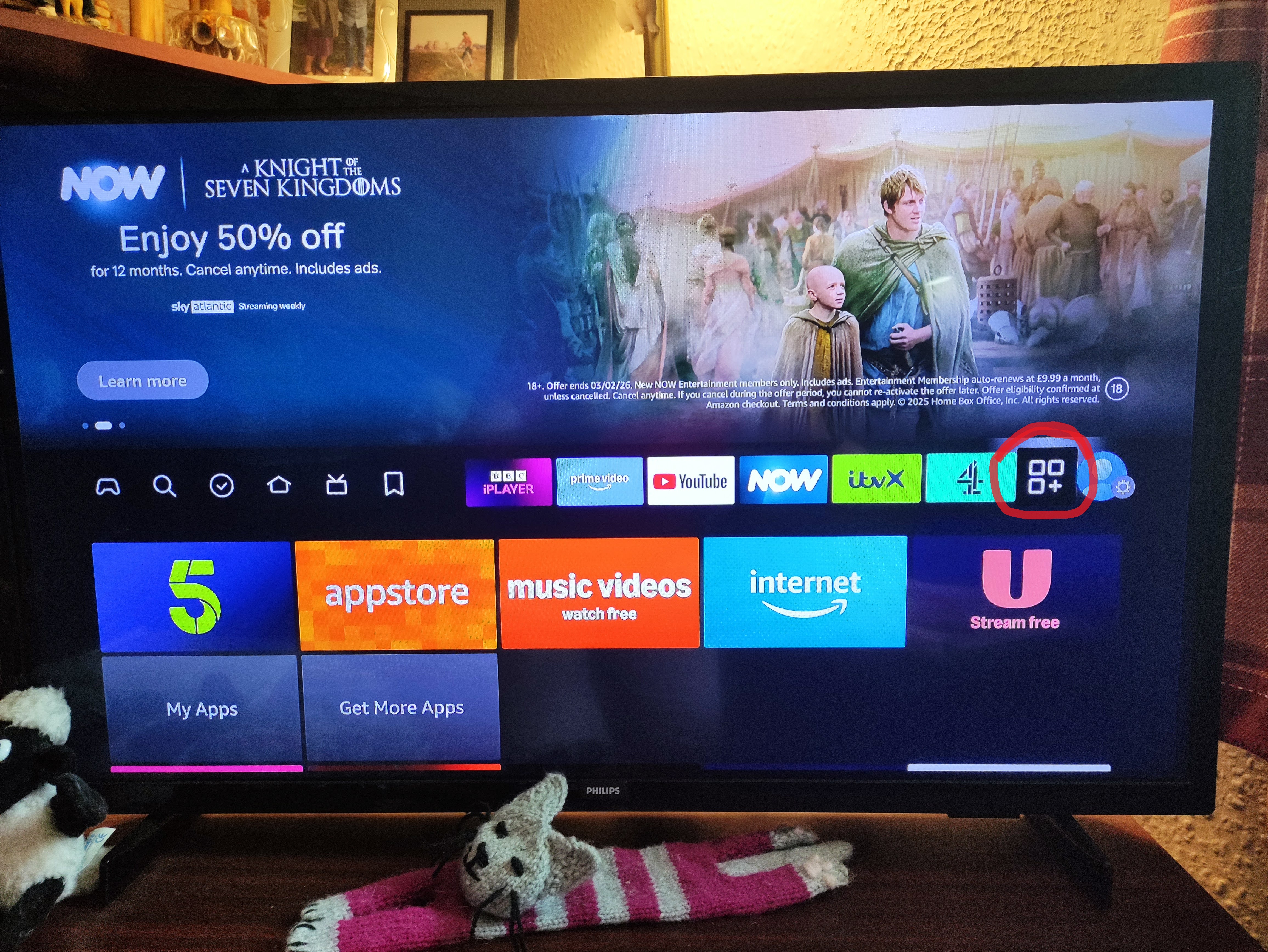
Go To All Apps
On the home screen, on the top menu, click the end option that looks like 3 squares and a plus.
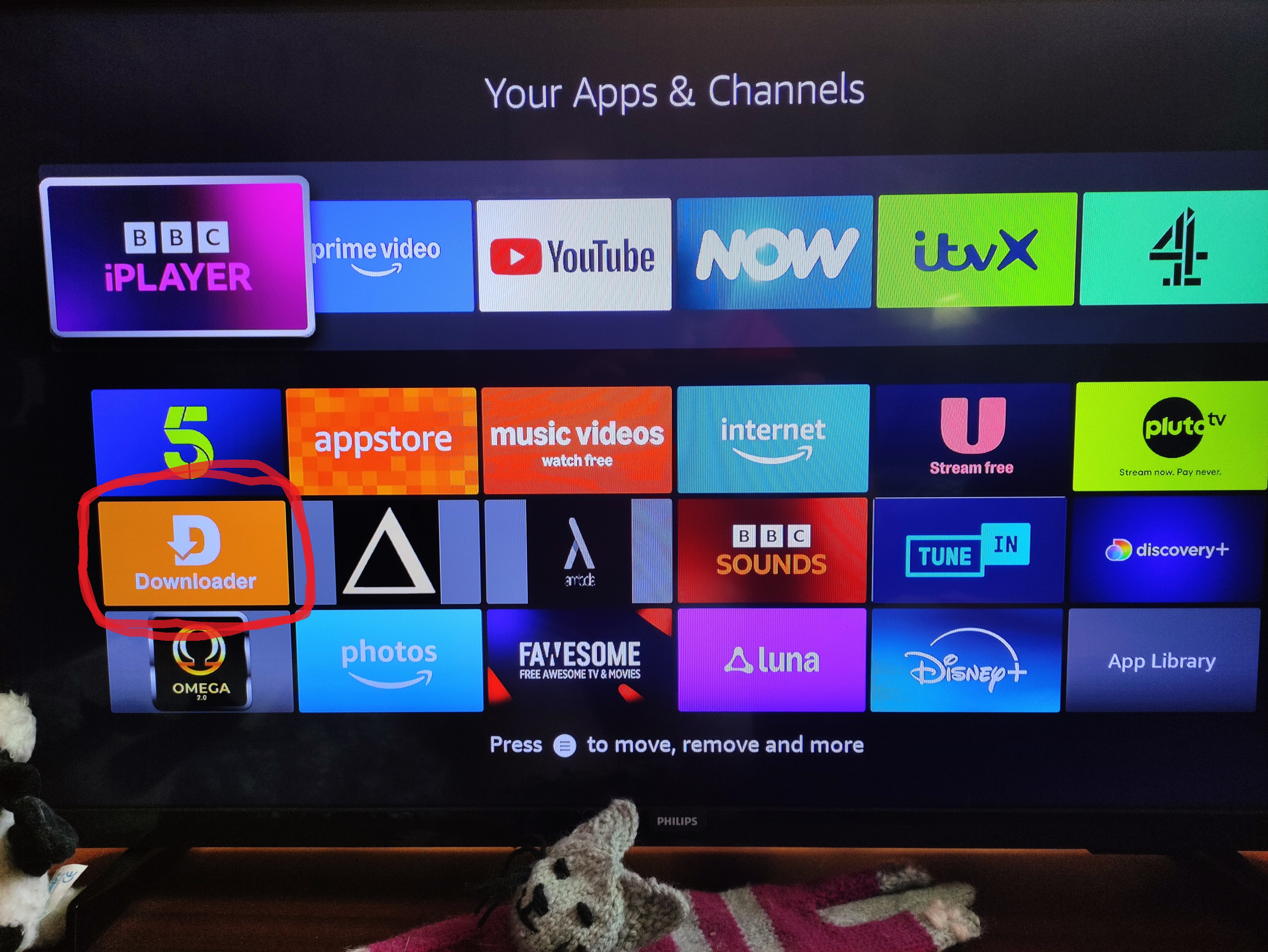
Go To Downloaded App
Click the Downloader app.
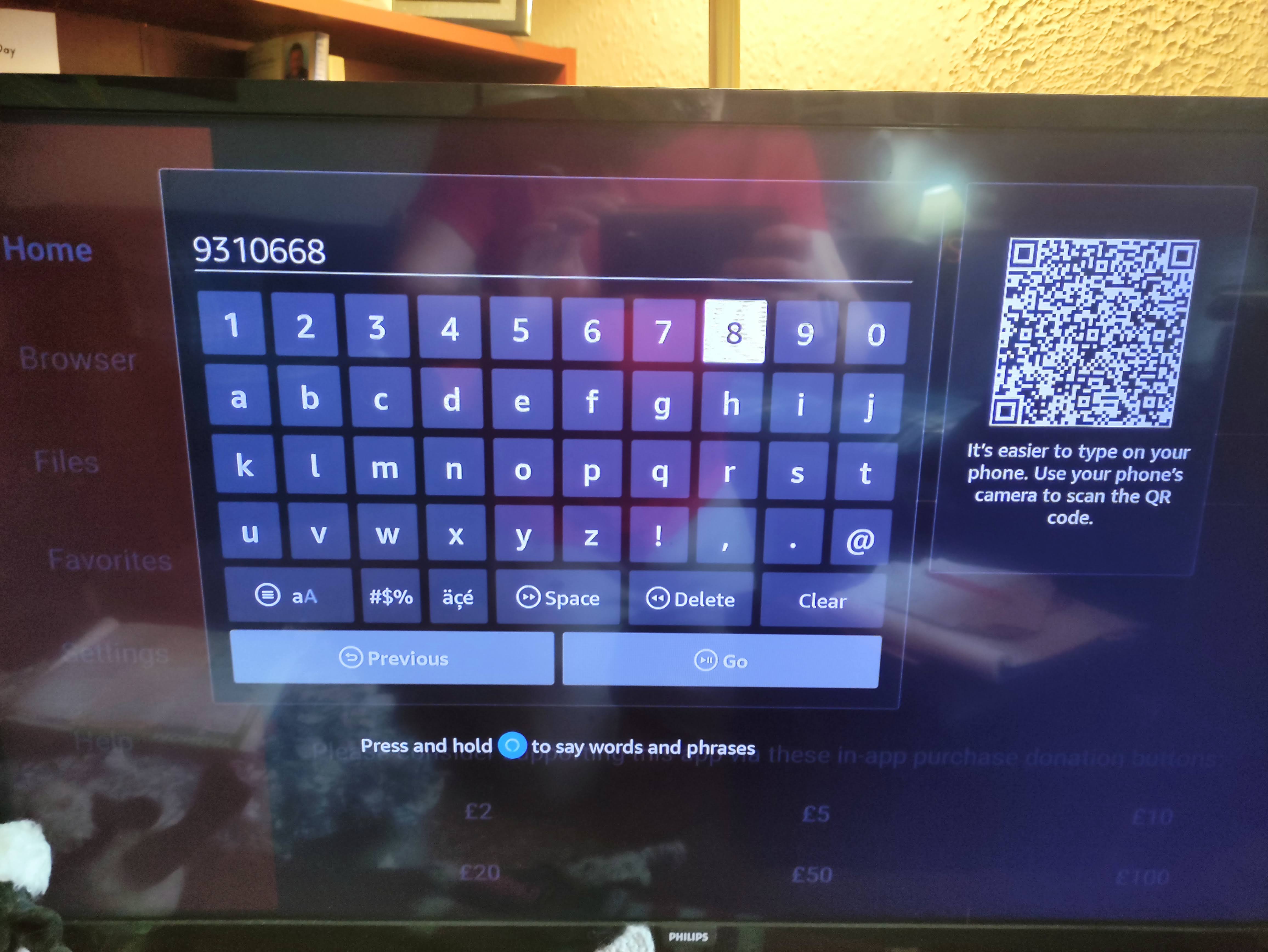
Type In The App Code
In the text box type in 9310668 and press Go. This should start the dowload of the new app.
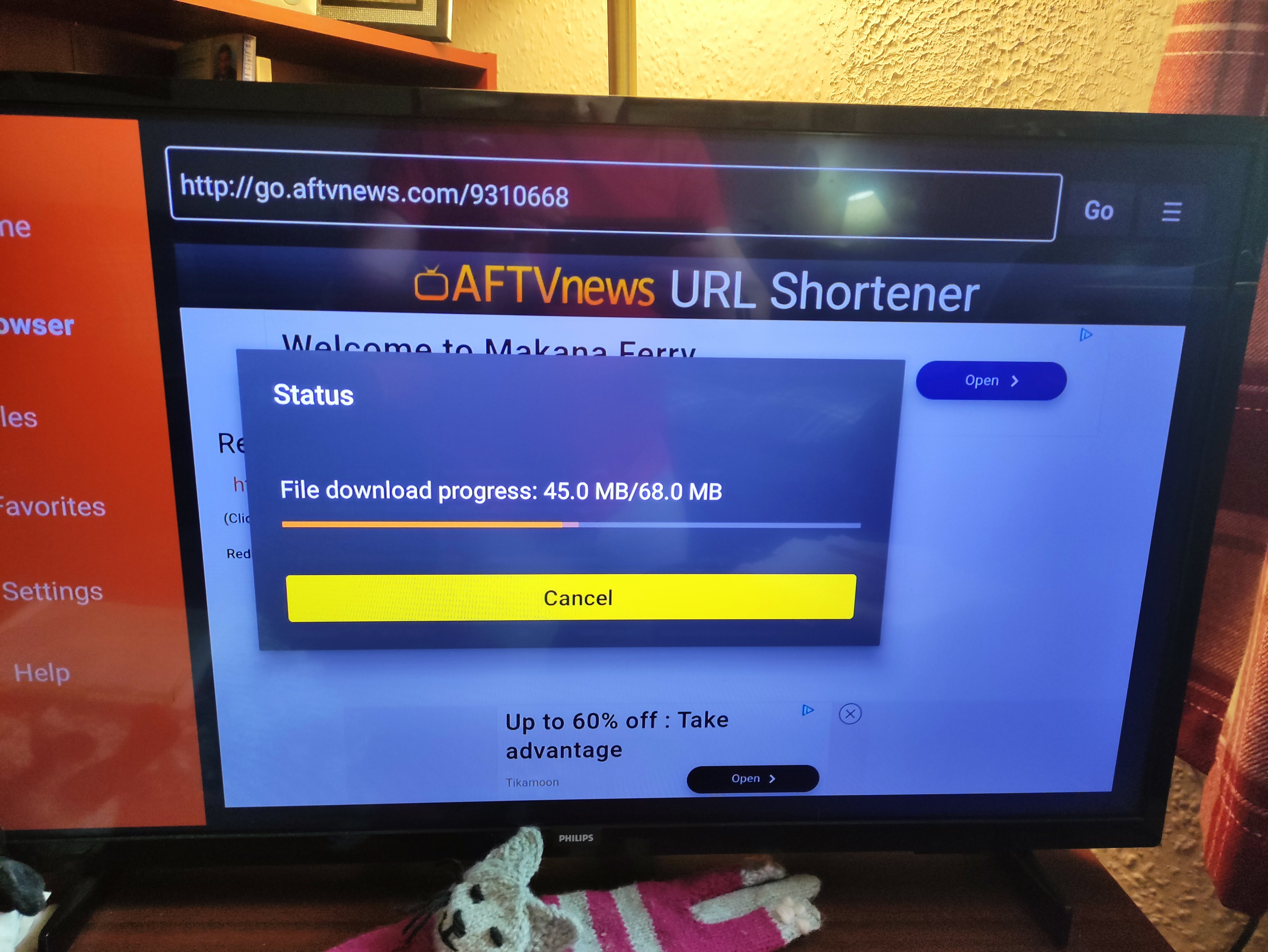
Let It Download
Wait a few seconds and it should start dowloading automatically.
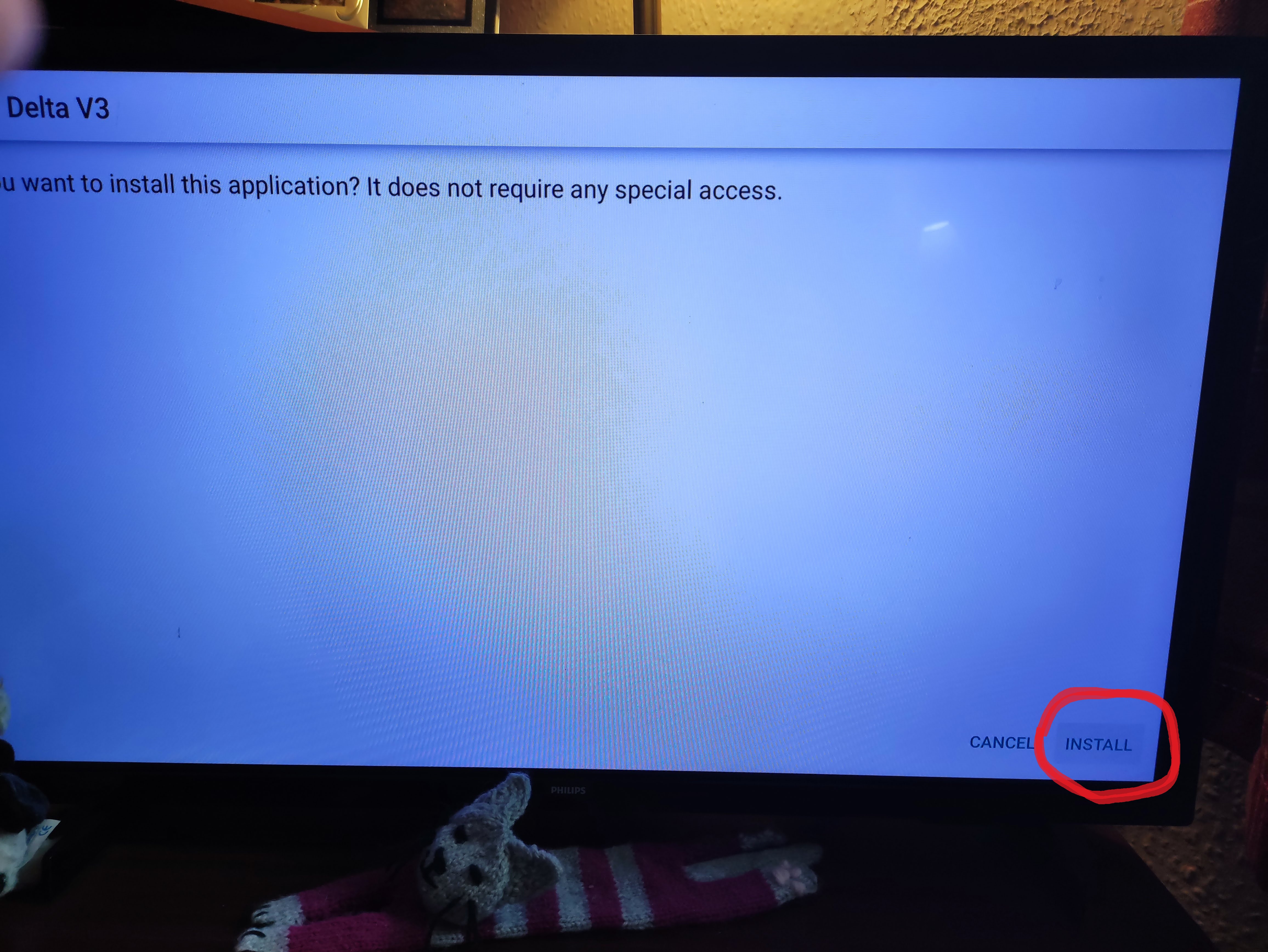
Install App
When asked if you want to install the app, click Install on the bottom right.
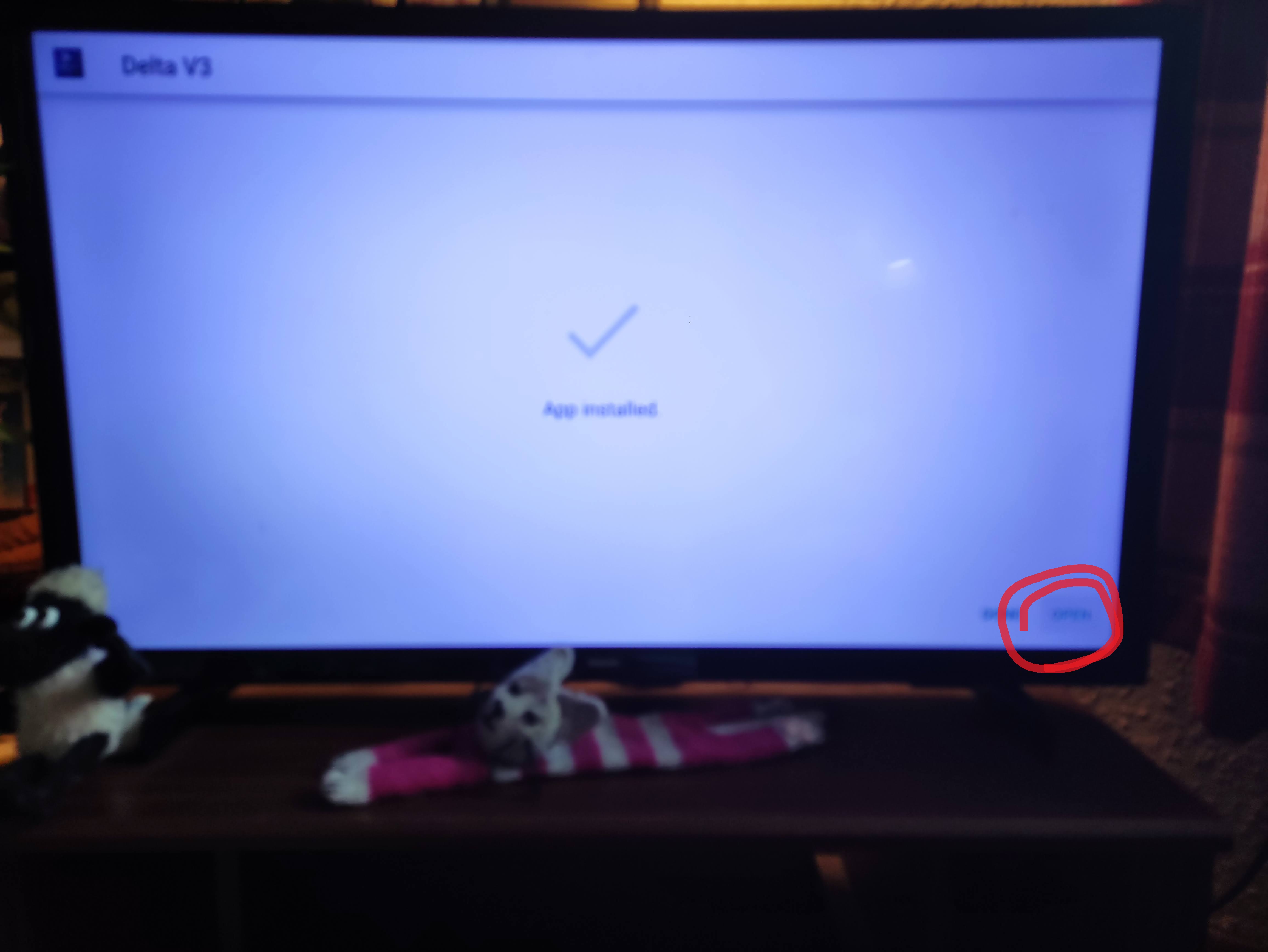
Open App
When the app is installed, click Open on the bottom right.
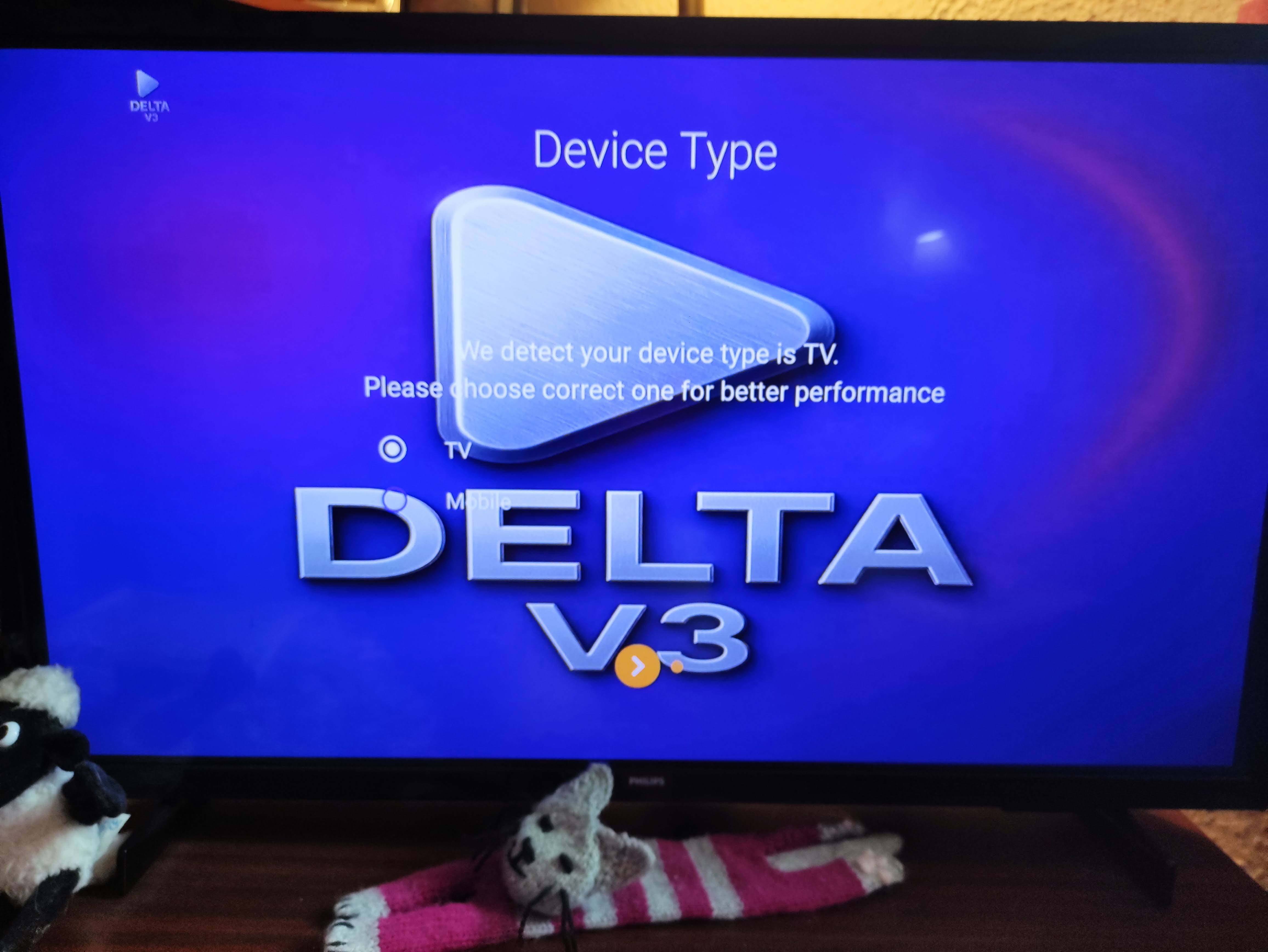
Select TV
When the app app starts click TV, it should be the option already selected. When it shows a big tick. Click again to go to the login screen.
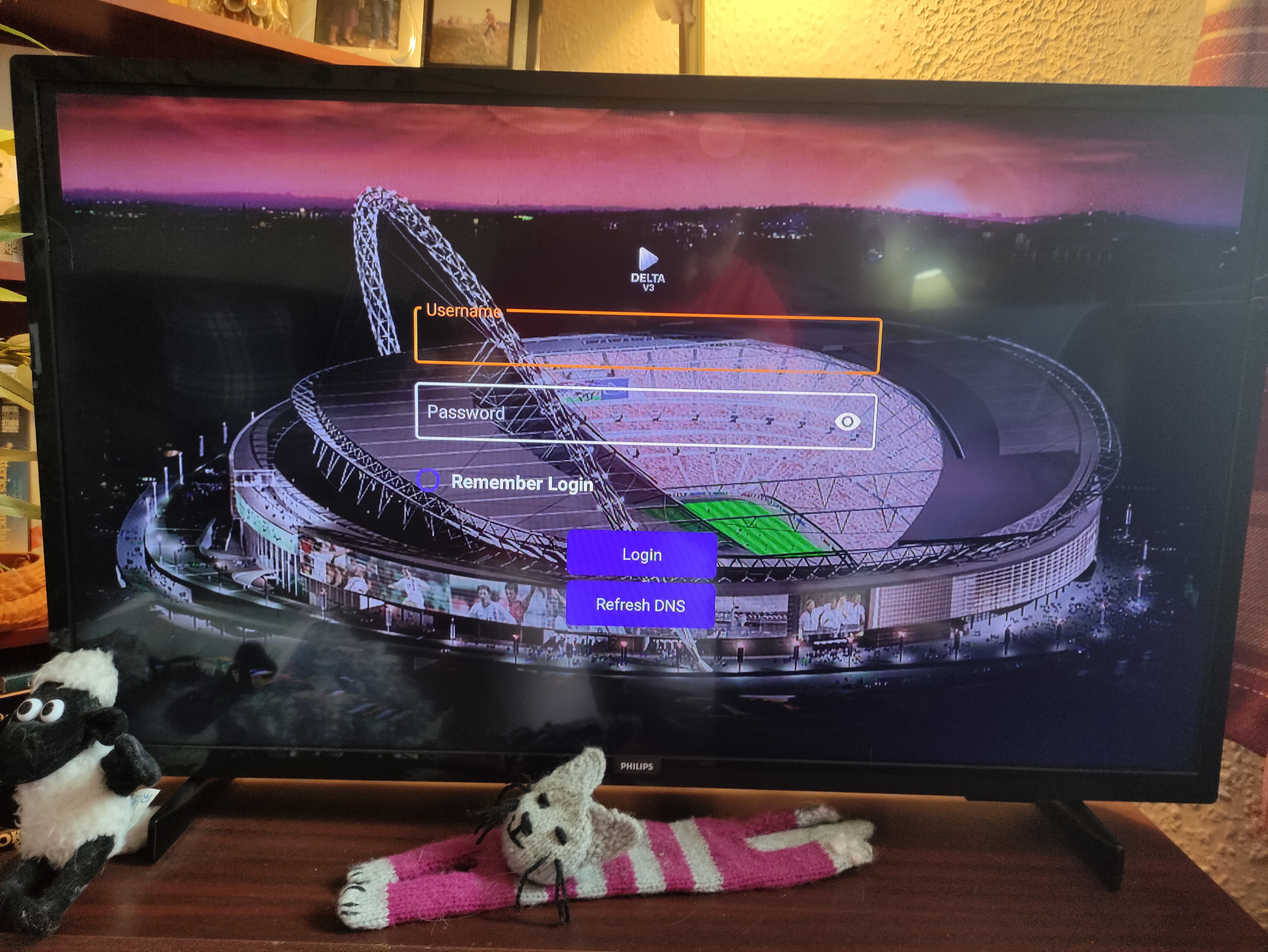
Log In
Log in using the details in the text message. The username and password are case sensitive. Make sure to tick Remeber Login so you only have to do this once.